Year-End Digital Cleanup 2026: Photos, Files, Passwords and Subscriptions Checklist
Apple and Google keep deleted photos 30 days, OneDrive 30 or 93 days. A December 2026 digital cleanup plan with federal security steps and a free printable.

Published 4 min read

Key dates
In this article
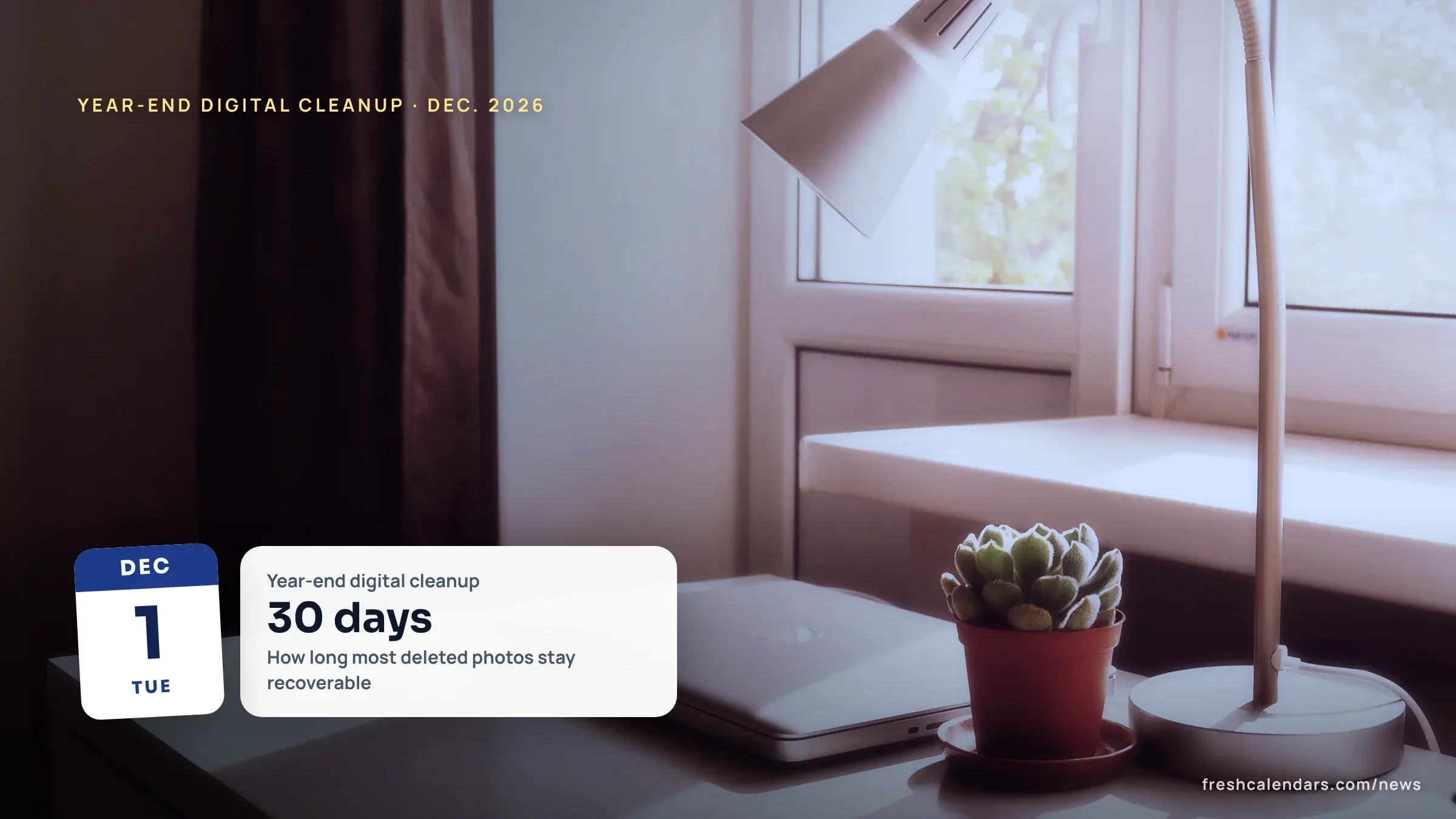
Apple Support and Google Photos Help both say deleted photos stay recoverable for 30 days, and Microsoft Support says OneDrive keeps deleted files for 30 days on a personal account and 93 days on a work or school account (pages checked Nov. 4, 2026). That window should set the pace of a year-end digital cleanup. Below: how long each service keeps what you delete, a four-week plan for Dec. 1 to 31, 2026 that ends before Identity Theft Awareness Week, and a free one-page checklist with a source on every line.
How long do deleted photos and files stay recoverable?
| Service | What the company says | Source |
|---|---|---|
| iPhone and iPad photos | Deleted photos and videos go to Recently Deleted for 30 days, then are permanently deleted | Apple Support, updated Mar. 31, 2026 |
| Google Photos | Deleted photos and videos stay in the trash for 30 days before they are permanently deleted | Google Photos Help |
| OneDrive, personal account | Files or folders deleted within the last 30 days can be restored | Microsoft Support |
| OneDrive, work or school account | Files or folders deleted within the last 93 days can be restored | Microsoft Support |
| Google data archive (Takeout) | The archive expires in about 7 days and can be downloaded 5 times; creating it can take from a few minutes to a few days | Google Account Help |
With iCloud Photos, Apple says a deletion also happens on every other device signed in with the same Apple Account, so a clean-up on a phone reaches the tablet too. Storage limits matter when you decide what to keep: Google says each Google Account comes with up to 15 GB shared by Gmail, Drive and Photos, and Microsoft’s quotas page refers to a free 5 GB storage plan.
What is our four-week December plan?
The weeks below are our suggestion, not an official schedule. The order puts security and backups before any deleting. Photos come last, so a photo deleted in the final week stays recoverable into January (30 days is our arithmetic on the companies’ window).
| Dates | Focus | Steps |
|---|---|---|
| Dec. 1-7 | Accounts and devices | Multifactor authentication, longer passwords, updates |
| Dec. 8-14 | Subscriptions and inbox | List, calendar, cancel, dispute |
| Dec. 15-21 | Backups | 3-2-1 copies and a restore test |
| Dec. 22-31 | Photos and files | Delete duplicates, check storage, download archives |
The plan ends on Thursday, Dec. 31, 2026, well before the Federal Trade Commission (FTC) says Identity Theft Awareness Week 2027 runs, Jan. 25 to 29. Mark both on the December 2026 printable calendar and the January 2027 printable calendar, and see our January 2027 dates list.
Which security steps come first?
The Cybersecurity and Infrastructure Security Agency (CISA) has archived its Secure Our World pages, so we cite them as CISA’s Secure Our World guidance, not as new advice.
- Passwords: CISA says to use “at least 16 characters” and that creating and storing strong passwords with a password manager is “one of the easiest ways to protect ourselves.” We do not rank password managers.
- Multifactor authentication (MFA): CISA says to turn on MFA for every account or app that offers it, and to check whether your email accounts, banks, healthcare providers and other important accounts offer it.
- Updates: CISA says to install updates and turn on automatic updates, “especially for our web browsers and antivirus software.”
- Inbox cleanup: if you suspect phishing, CISA says to delete the message and not click any link or attachment, “including any ‘unsubscribe’ link.”
How do you cancel subscriptions before the new year?
The FTC’s consumer advice on free trials and auto-renewals says to make a note on your calendar to remind you to cancel before the trial ends. It says the terms should explain how and when to cancel if you do not want to be charged after the trial, and it tells shoppers to look for boxes that are already checked for you. If you are charged without your consent and the company will not refund the money, the FTC says to dispute the charge.
On the rules: the FTC’s 2024 click-to-cancel rule was vacated, and on Mar. 11, 2026 the FTC sought public comment on options “including retaining the current Rule, adopting provisions of the vacated 2024 Rule or some other provisions.” We found no new rule as of Nov. 4, 2026, so check each service’s own cancel steps.
How should you back up before you delete?
CISA’s back-up page is written for businesses, and its 3-2-1 rule works at home too: 3 copies of important files, 2 different types of storage media (like a hard drive and the cloud) and 1 copy stored off-site. The page also says to test the backup procedure so data can be restored both fully and partially. Do that test before the Dec. 22-31 photo clean-up.
What is in the free printable?
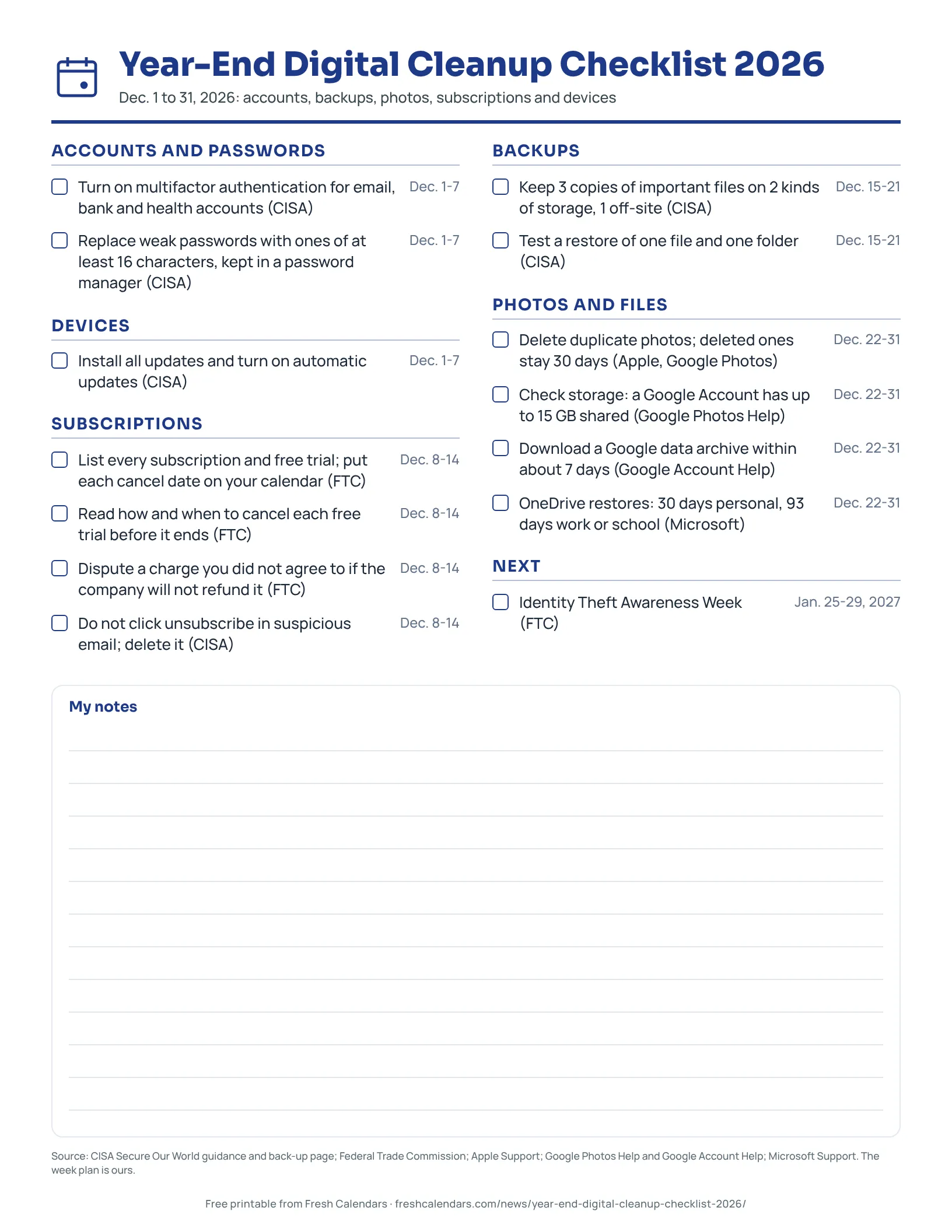
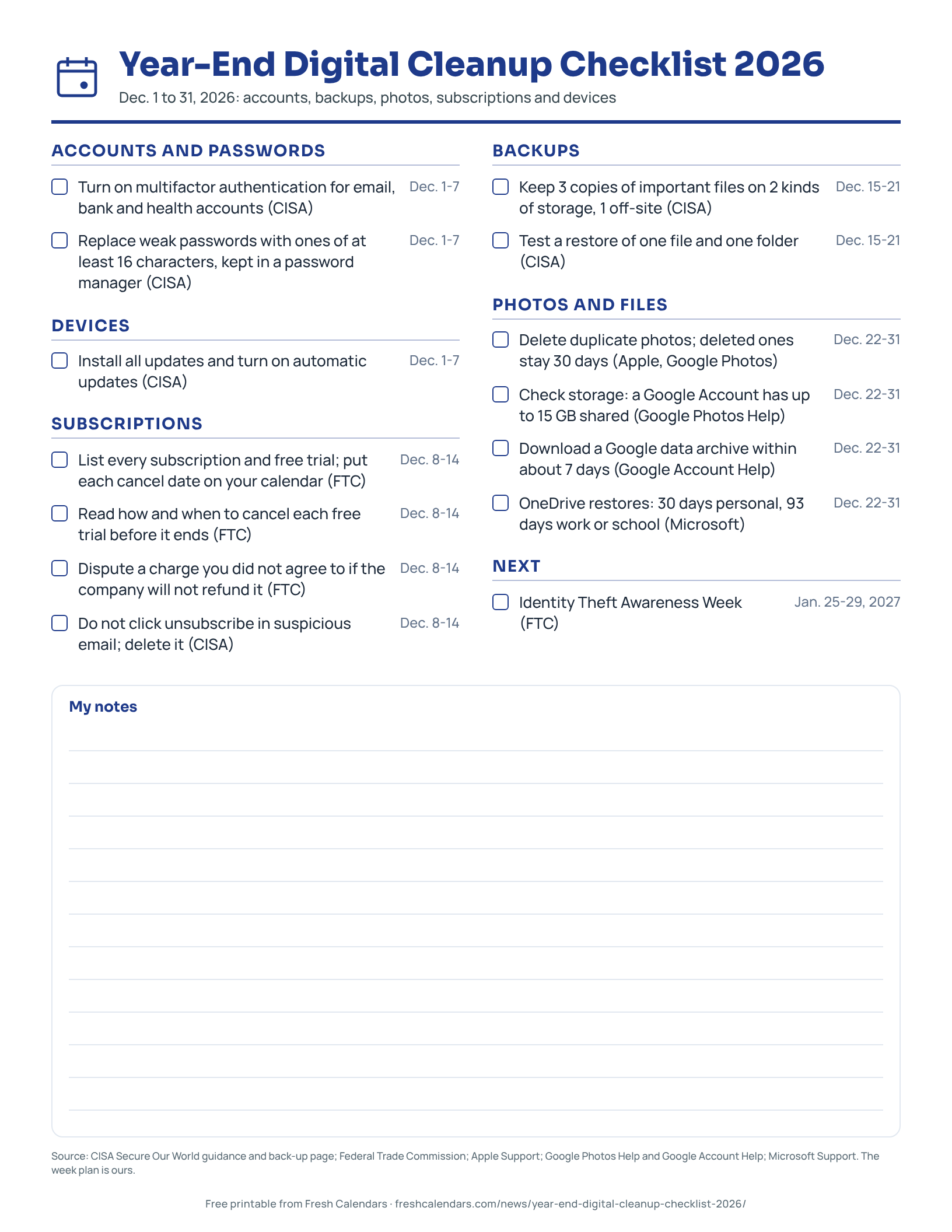
The one-page checklist groups 14 tick-box lines under Accounts and passwords, Devices, Subscriptions, Backups, Photos and files, and the next date, each with the source named on the line. The week assignments are ours.
Free printable downloads
Every template is free, needs no sign-up and prints on US Letter paper. Choose PDF for printing or PNG for screens and documents.
Year-End Digital Cleanup Checklist 2026 printables
-
Year-End Digital Cleanup Checklist 2026
One-page year-end digital cleanup checklist for Dec. 2026: passwords, backups, photos, subscriptions and devices, with the source named on each line.
Frequently asked questions
Can I get back a photo I deleted last week?
Yes, if it is inside the window: Apple Support and Google Photos Help both say 30 days. After that the photo is permanently deleted.
Is the FTC click-to-cancel rule in effect?
We found no new rule as of Nov. 4, 2026. The Federal Trade Commission (FTC) said in March 2026 it was seeking comment on options including retaining the current rule or adopting provisions of the vacated 2024 rule.
Should I click unsubscribe to clean up my inbox?
Not in a message you suspect is phishing. The Cybersecurity and Infrastructure Security Agency (CISA) says to delete it and not click any link, including an unsubscribe link.
Do these steps work for a small business?
The CISA backup page is written for businesses. Its 3-2-1 rule works for a household too.
Sources
- Use Strong Passwords (Cybersecurity and Infrastructure Security Agency (CISA), 2026-11-04)
- Turn On Multifactor Authentication (Cybersecurity and Infrastructure Security Agency (CISA), 2026-11-04)
- Update Software (Cybersecurity and Infrastructure Security Agency (CISA), 2026-11-04)
- Recognize and Report Phishing (Cybersecurity and Infrastructure Security Agency (CISA), 2026-11-04)
- Back Up Business Data (Cybersecurity and Infrastructure Security Agency (CISA), 2026-11-04)
- Getting In and Out of Free Trials, Auto-Renewals, and Negative Option Subscriptions (Federal Trade Commission (FTC), 2024-09-01)
- FTC seeks public comment in response to advance notice of proposed rulemaking regarding negative option (Federal Trade Commission (FTC), 2026-03-11)
- Identity Theft Awareness Week (Federal Trade Commission (FTC), 2026-11-04)
- Delete photos on your iPhone or iPad (Apple Support, 2026-03-31)
- Google Photos Help: storage and deleted photos (Google Photos Help, 2026-11-04)
- How to download your Google data (Google Account Help, 2026-11-04)
- Microsoft storage quotas (Microsoft Support, 2026-11-04)
- Restore deleted files or folders in OneDrive (Microsoft Support, 2026-11-04)
Related news
-
 December 2026 Holidays and Key Dates: Hanukkah, the Solstice, Christmas and Every Deadline, Days Until Each
-
 January 2027 Important Dates: Holidays, Deadlines and Events, With Days Until Each
-
 New Year’s Countdown 2027: When Midnight Arrives in Every Time Zone
-
 Year-End Money Deadlines 2026: What Must Be Done by December 31 and What Can Wait
More in Planning
All Planning stories →- Meal Planning Calendar 2027: Weekly Menu and Grocery List Printables
- Home Maintenance Calendar 2027: Monthly Tasks and a Printable Checklist
- 2027 Vision Board Printables: Goal Worksheets and Monthly Check-Ins
- January 2027 Reset Planner: Goals, Habits and Monthly Review Printables
- Christmas Tree Recycling 2027: Pickup Rules by City, 2026-27 Dates Not Yet Posted
Trending now
- Black Friday Canada 2026: Nov. 27 Date, Canadian Tire Deals From Nov. 5, Who Hasn't Announced
- November 2026 Meteor Showers: Taurid Fireballs Under Dark Skies, Then the Leonids on Nov. 16-17
- Election Night 2026 Live Blog: Results Map, Senate, House and Governor Races
- Black Friday 2026 Deals: Date Is Friday, Nov. 27, Live Countdown and Ad Tracker
- SNAP Payment Schedule November 2026: Deposit Dates for Every State, With Weekend Days Flagged