Why Excel Shows Dates as Numbers, and How to Fix It: 46388 Is Jan. 1, 2027
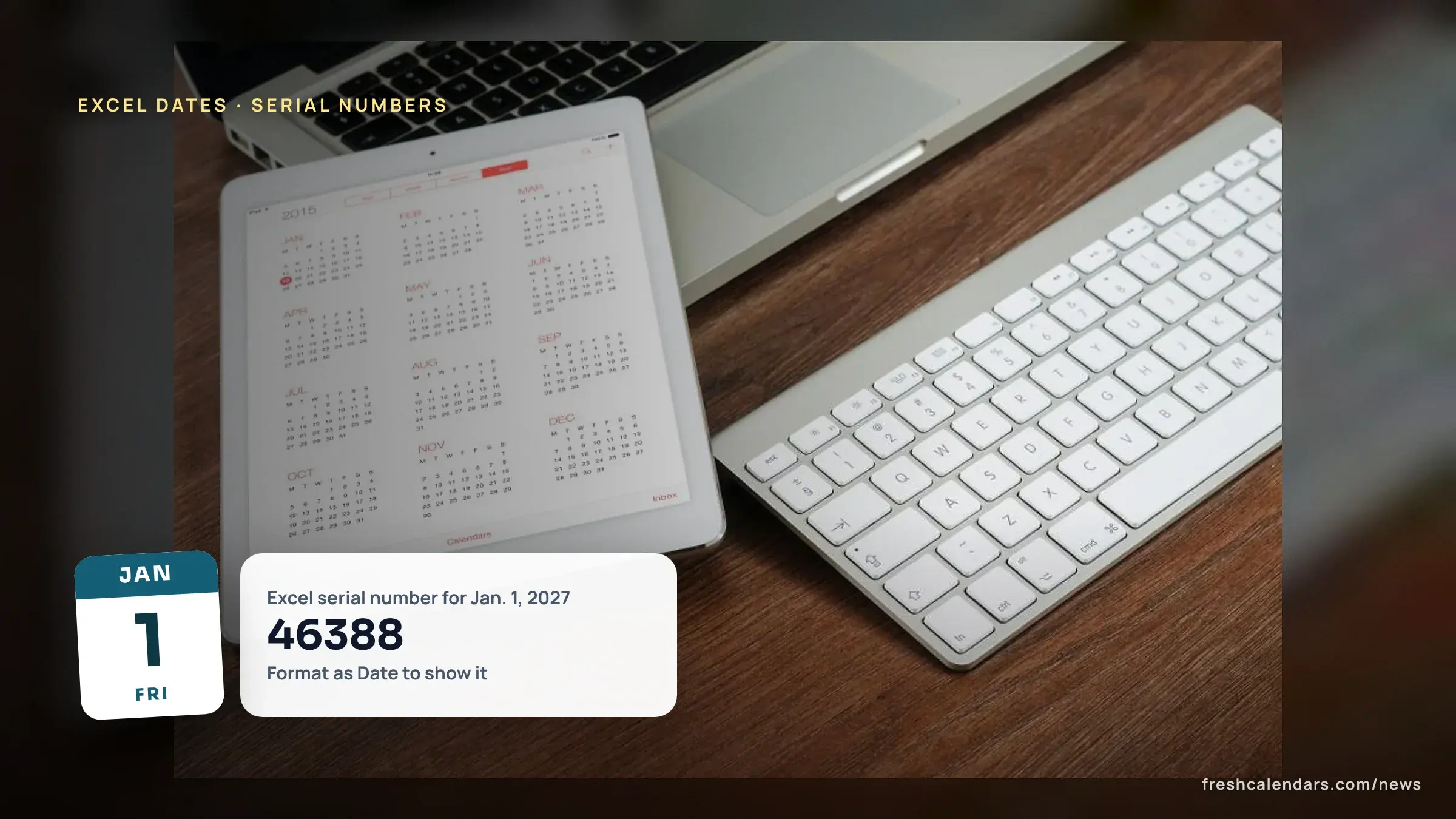
Excel stores dates as serial numbers counted from Jan. 1, 1900, per Microsoft, so 46388 shows instead of Jan. 1, 2027. Press Ctrl+1 and pick Date to fix it.

Published 5 min read
In this article
Excel stores every date as a serial number counted from Jan. 1, 1900, which is serial 1, according to Microsoft, so a cell formatted as a number shows 46388 instead of Jan. 1, 2027. The usual fix takes two steps: select the cells, press Ctrl+1 and choose Date. Below are the three causes, a lookup table of 2027 serial numbers and the 1900 leap-year quirk.
How does Excel store a date as a number?
Microsoft’s “Date systems in Excel” page says that in the 1900 date system, “dates are calculated by using January 1, 1900, as a starting point.” Each day after that adds 1. Microsoft’s page for the text-to-date function (DATEVALUE) gives two anchors: “By default, January 1, 1900 is serial number 1, and January 1, 2008 is serial number 39448.” The date-building function (DATE) “returns the sequential serial number that represents a particular date.”
The number after the decimal point is the time. Microsoft’s TIME function page says “12:00 PM is represented as 0.5 because it is half of a day,” so noon on Jan. 1, 2027 is 46388.5.
Why does my Excel date show as a number?
Three causes cover most cases. Each has its own fix.
| Cause | What you see | Fix |
|---|---|---|
| The cell is formatted as General or Number | 46388 | Select the cells, press Ctrl+1, choose Date in the Category list |
| The date is stored as text | A date that formatting does not change | Use DATEVALUE(date_text), then format the result as Date |
| A 1904 workbook was pasted into a 1900 workbook | Dates 1,462 days off | Switch the date system or add 1,462 days |
Cause 1: the cell format. Microsoft’s “Format numbers as dates or times” page says to press Ctrl+1 to open the Format Cells dialog box, then choose “Date” or “Time” in the Category list. The stored number does not change; only the display does.
Cause 2: a date stored as text. Microsoft says “The DATEVALUE function converts a date that is stored as text to a serial number that Excel recognizes as a date.” The syntax is DATEVALUE(date_text). The result is a serial number, so format that cell as a Date too.
Cause 3: two date systems. See the next section.
What is the 1904 date system in Excel?
Microsoft says “In the 1904 date system, dates are calculated by using January 1, 1904, as a starting point,” and “The difference between the two date systems is 1,462 days.” The 1900 system is “the default date system in Excel for Windows, Excel 2016 for Mac, and Excel for Mac 2011”; the 1904 system is “the default date system in earlier versions of Excel for Mac.”
Microsoft’s example: July 5, 2011 is 40729 in the 1900 system and 39267 in the 1904 system. Read 39267 in a 1900 workbook and it is a date 1,462 days earlier, which is 4 years and 1 day. In our calculation that is July 4, 2007. If your pasted dates are about four years off, check the system.
To change it, per Microsoft: click File > Options, click Advanced, and under “When calculating this workbook” select or clear “Use 1904 date system.” For Jan. 1, 2027, the 1904 serial number is 44926, which is 46388 minus 1,462 (our calculation).
What are the Excel serial numbers for 2027 dates?
Our calculation for the 1900 system, checked against Microsoft’s anchor of 39448 for Jan. 1, 2008. The rule is the number of days after Dec. 30, 1899, for any date after Feb. 28, 1900.
| Date | 1900 system serial | 1904 system serial |
|---|---|---|
| Fri., Jan. 1, 2027 | 46388 | 44926 |
| Mon., Feb. 1, 2027 | 46419 | 44957 |
| Mon., March 1, 2027 | 46447 | 44985 |
| Thu., April 1, 2027 | 46478 | 45016 |
| Sat., May 1, 2027 | 46508 | 45046 |
| Tue., June 1, 2027 | 46539 | 45077 |
| Thu., July 1, 2027 | 46569 | 45107 |
| Sun., Aug. 1, 2027 | 46600 | 45138 |
| Wed., Sept. 1, 2027 | 46631 | 45169 |
| Fri., Oct. 1, 2027 | 46661 | 45199 |
| Mon., Nov. 1, 2027 | 46692 | 45230 |
| Wed., Dec. 1, 2027 | 46722 | 45260 |
Holidays and year-end:
| Date | 1900 system serial |
|---|---|
| Sun., Feb. 14, 2027 (Valentine’s Day) | 46432 |
| Sun., March 28, 2027 (Easter) | 46474 |
| Sun., July 4, 2027 | 46572 |
| Thu., Nov. 25, 2027 (Thanksgiving) | 46716 |
| Sat., Dec. 25, 2027 | 46746 |
| Fri., Dec. 31, 2027 | 46752 |
| Sat., Jan. 1, 2028 | 46753 |
| Tue., Feb. 29, 2028 | 46812 |
The same serial numbers line up with the days of the year in our Julian date calendar for 2027: Dec. 31, 2027 is day 365 there and 46752 here, and our day-of-year guide shows the counting by hand.
What is the earliest and latest date Excel can use?
Microsoft’s “Excel specifications and limits” page lists the earliest date as “January 1, 1900 (January 1, 1904, if 1904 date system is used)” and the latest as “December 31, 9999.” In our calculation, Dec. 31, 9999 is serial 2958465.
The DATE function adds the year to 1900 for small values: “If year is between 0 (zero) and 1899 (inclusive), Excel adds that value to 1900.”
Why does Excel think 1900 was a leap year?
Microsoft Learn explains: “When Lotus 1-2-3 was first released, the program assumed that the year 1900 was a leap year, even though it actually was not a leap year.” That choice “allowed Microsoft Multiplan and Microsoft Excel to use the same serial date system used by Lotus 1-2-3 and provide greater compatibility with Lotus 1-2-3.”
Microsoft adds that Excel “correctly handles all other leap years, including century years that are not leap years (for example, 2100). Only the year 1900 is incorrectly handled.” Our serial numbers for 2027 and 2028 count real days, and Feb. 29, 2028 is serial 46812. For how leap years work, see what is a leap year.
Print the 2027 Excel serial date card
The free one-page card lists the 1900 system serial number for the 1st of every month of 2027 and for Easter, July 4, Thanksgiving and Christmas, with the fix steps in the note. Keep it next to a spreadsheet, or print a 2027 yearly calendar or the January 2027 calendar beside it to check a date by eye.
Free printable downloads
Every template is free, needs no sign-up and prints on US Letter paper. Choose PDF for printing or PNG for screens and documents.
Excel Serial Date Numbers for 2027 printables
-
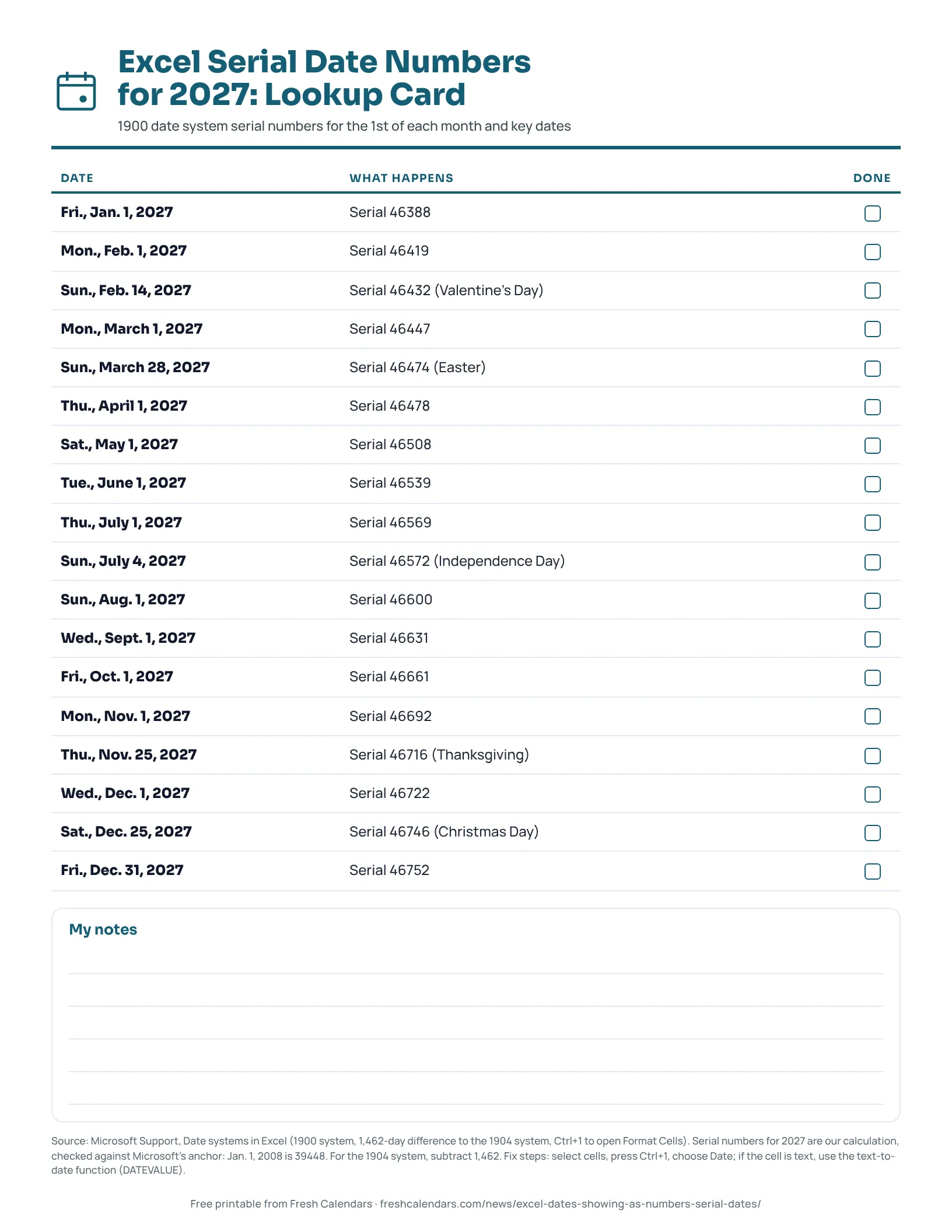
Excel Serial Date Numbers for 2027: Lookup Card
Free one-page card with the Excel serial number for the 1st of every month of 2027, plus Easter, July 4, Thanksgiving and Christmas, and the fix steps.
Frequently asked questions
What date is 46388 in Excel?
Jan. 1, 2027 in the default 1900 date system. This is our calculation, checked against Microsoft's example that Jan. 1, 2008 is serial number 39448.
Why does my date turn into a five-digit number?
The cell is formatted as General or Number, so Excel shows the stored serial number. Select the cell, press Ctrl+1 and choose Date.
What is the latest date Excel can store?
Dec. 31, 9999, according to Microsoft's Excel specifications and limits page. Our calculation gives it the serial number 2958465.
How do I switch between the 1900 and 1904 date systems?
Click File > Options, click Advanced, and under 'When calculating this workbook' select or clear 'Use 1904 date system.'
How do I show the time part of a serial number?
The decimal part is the time of day. Microsoft says 12:00 PM is represented as 0.5 because it is half of a day, so noon on Jan. 1, 2027 is 46388.5.
Is the 2027 serial number card free?
Yes. It is a free one-page US Letter PDF with selectable text, and there is a PNG image too.
Sources
- Date systems in Excel (Microsoft Support)
- DATEVALUE function (Microsoft Support)
- Excel incorrectly assumes that the year 1900 is a leap year (Microsoft Learn)
- Format numbers as dates or times (Microsoft Support)
- DATE function (Microsoft Support)
- TIME function (Microsoft Support)
- Excel specifications and limits (Microsoft Support)
Related news
-
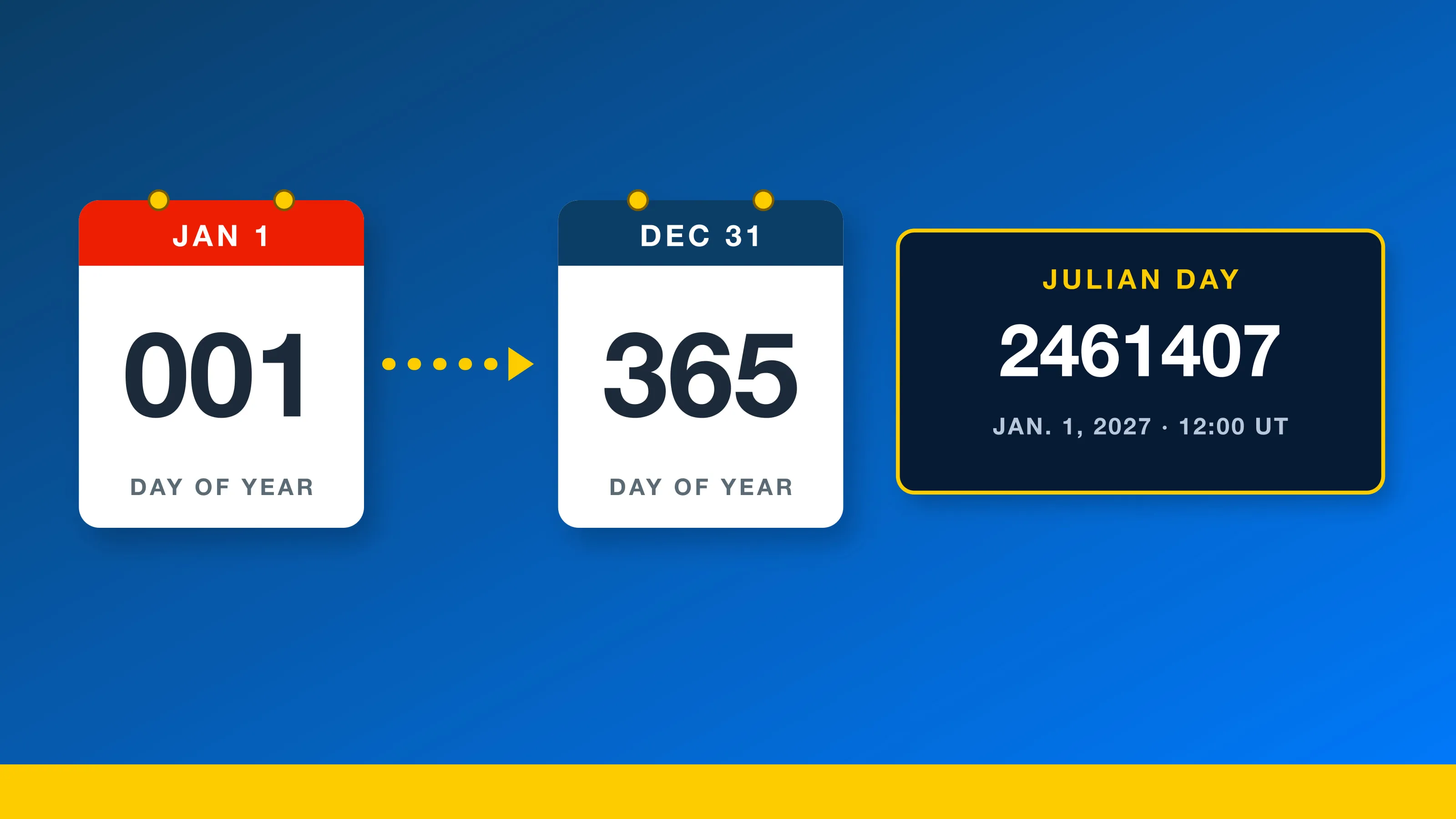 Julian Date Calendar 2027 and 2026: Free Printable Day-of-Year Charts, Date Codes and Julian Day Numbers
-
 How to Calculate the Day of the Year, From 001 to 365 or 366, With a Month Table
-
 What Is a Leap Year? The 4, 100 and 400 Rule, With Every Leap Year to 2100
-
 How to Count Days Between Two Dates in Excel and Google Sheets, With 2027 Examples
More in Calendar Guides
All Calendar Guides stories →- MM/DD or DD/MM? How Countries Write Dates, and the ISO Fix
- Hebrew Year 5787 Is a Leap Year: Adar I, Adar II and Purim 2027
- Chinese Lunar Calendar 2027: Every Month's Start Date and No Leap Month
- Nowruz 2027: The Equinox Time and Why the Persian New Year Is March 21
- When a Deadline Falls on a Weekend: The IRS, Court and Agency Rules
Trending now
- Black Friday Canada 2026: Nov. 27 Date, Canadian Tire Deals From Nov. 5, Who Hasn't Announced
- November 2026 Meteor Showers: Taurid Fireballs Under Dark Skies, Then the Leonids on Nov. 16-17
- SNAP Payment Schedule November 2026: Deposit Dates for Every State, With Weekend Days Flagged
- Election Night 2026 Live Blog: Results Map, Senate, House and Governor Races
- Black Friday 2026 Deals: Date Is Friday, Nov. 27, Live Countdown and Ad Tracker