What Is ISO 8601? The YYYY-MM-DD Date Format, With Examples
The International Organization for Standardization (ISO) writes Oct. 30, 2026 as 2026-10-30 in ISO 8601, its date and time standard. See every form.

Published 6 min read
In this article
- One moment in every ISO 8601 form
- How does the YYYY-MM-DD format work?
- What is the difference between 05/01/2026 and 2026-05-01?
- What does the Z mean, and how is it different from an offset?
- What are ISO week dates and ordinal dates?
- Which ISO 8601 forms should you avoid or leave out?
- How does RFC 3339 relate to ISO 8601?
- Common mistakes with ISO 8601 dates
- ISO 8601 cheat sheet to print
ISO 8601 is the International Organization for Standardization (ISO) standard for writing dates and times, and its calendar date is year-month-day, so Friday, Oct. 30, 2026 is written 2026-10-30. ISO’s help center describes it as “a clear and unambiguous way to represent dates and times” (July 31, 2025). This guide writes one moment in every form, explains the trailing Z, and shows where people trip. A one-page cheat sheet to print is at the end.
One moment in every ISO 8601 form
Take Friday, Oct. 30, 2026, at 8:30 a.m. Eastern Daylight Time (EDT). Clocks in the Eastern Time zone are on EDT that day, 4 hours behind Coordinated Universal Time (UTC), so the same instant is 12:30 UTC. The table writes it each way.
| Form | Written as | What it says |
|---|---|---|
| Calendar date | 2026-10-30 | Year, month, day, with leading zeros |
| Ordinal date | 2026-303 | Day 303 of 2026 (computed) |
| Week date | 2026-W44-5 | Week 44, day 5 (Friday; Monday is day 1) (computed) |
| Date and local time | 2026-10-30T08:30:00 | Date, a T, then the time; no zone given |
| Local time with offset | 2026-10-30T08:30:00-04:00 | 8:30 a.m. EDT, 4 hours behind UTC |
| UTC with Z | 2026-10-30T12:30:00Z | The same instant, in UTC |
| UTC with offset | 2026-10-30T12:30:00+00:00 | Also UTC; a Z means an offset of 00:00 |
| U.S. style (not ISO) | 10/30/2026, 8:30 a.m. EDT | Month first |
| Day-first style (not ISO) | 30/10/2026 | Day first |
The calendar date, the Z form and the offset form come straight from the standard as ISO’s help center and Request for Comments (RFC) 3339 describe them. The ordinal and week dates are our computation using the rules described by Markus Kuhn’s ISO 8601 summary, hosted by NASA: ordinal day numbers run from 001 to 365 (366 in leap years), and the week starts on Monday.
How does the YYYY-MM-DD format work?
ISO’s help center lists the date as YYYY-MM-DD, year-month-day. The year takes four digits, the month two and the day two, so April 9, 2026 is 2026-04-09, not 2026-4-9. RFC 3339, the internet timestamp profile, spells out the same order: a full-date is the year, a hyphen, the month, a hyphen and the day.
The order runs from the largest unit to the smallest. That has a practical effect you can test: when dates are plain text, an alphabetical sort puts them in date order.
| Date | ISO order | U.S. order |
|---|---|---|
| Dec. 31, 2025 | 2025-12-31 | 12/31/2025 |
| Feb. 15, 2026 | 2026-02-15 | 02/15/2026 |
| Oct. 3, 2026 | 2026-10-03 | 10/03/2026 |
| Alphabetical sort gives | Dec. 31, 2025, Feb. 15, 2026, Oct. 3, 2026 (correct) | Feb. 15, 2026, Oct. 3, 2026, Dec. 31, 2025 (wrong) |
We ran that sort ourselves. It shows a property of the order, not a promise about any particular app, since software can still read the text however it was built to.
What is the difference between 05/01/2026 and 2026-05-01?
The slash version has two readings. Month first, 05/01/2026 is May 1; day first, it is Jan. 5. A reader cannot tell which from the text. 2026-05-01 has one reading, May 1, 2026, because a four-digit number in the first position can only be the year. ISO’s help center calls the standard “unambiguous”; this is the case it means.
What does the Z mean, and how is it different from an offset?
A Z suffix marks UTC. ISO’s help center gives 2022-09-06T18:00:00Z as its example, and RFC 3339 defines Z as “a suffix which, when applied to a time, denotes a UTC offset of 00:00.”
An offset such as -04:00 or +03:00 keeps the local clock reading and says how far it sits from UTC. Both forms name the same instant, so a program can convert between them:
2026-10-30T08:30:00-04:00is 8:30 a.m. on the wall clock in Eastern Daylight Time.2026-10-30T12:30:00Zis that moment in UTC.2026-10-30T15:00:00Zis a different moment: 15:00 UTC, which is 11:00 a.m. EDT. Reading a Z time as local time shifts it by the zone’s offset.
A time with no Z and no offset, such as 2026-10-30T08:30:00, says nothing about the zone. Anyone receiving it has to know the zone from somewhere else.
What are ISO week dates and ordinal dates?
A week date names the year, the week and the weekday: 2026-W44-5 is Friday of week 44. Kuhn’s summary gives the rules: a week starts on Monday (day 1) and ends on Sunday (day 7), and week 01 is the first week that has the Thursday in the year. Google Docs Editors Help states the same for its ISOWEEKNUM function: weeks begin on Monday, and week 1 is the week containing the first Thursday of the year.
Our full walk-through is in ISO week numbers explained. The point here is one trap. The week-year can differ from the calendar year near Jan. 1. By our computation, Jan. 1, 2027 is a Friday and falls in week 53 of 2026, so its week date is 2027-01-01 as a calendar date and 2026-W53-5 as a week date.
An ordinal date counts the days since Jan. 1: 2026-303 is Oct. 30. The method for any date is in how to calculate the day of the year. The Monday start is also why calendar settings matter; see Monday-start vs. Sunday-start calendars if your printout and your app disagree. We keep a Monday-start printable calendar for that case.
Which ISO 8601 forms should you avoid or leave out?
ISO 8601 also has a “basic” format with no hyphens or colons. ISO’s help center advises avoiding it in plain text to prevent ambiguity. The Library of Congress’s Extended Date/Time Format (EDTF) specification, a profile of ISO 8601, says the basic format “is not permitted” in EDTF. For anything people read, use the extended form with hyphens, as in the table above.
The standard is published in two parts, ISO 8601-1 and ISO 8601-2, both dated 2019, according to the Estonian Centre for Standardisation’s listing. ISO’s own pages blocked our automated check, so this guide does not quote the standard’s text beyond what ISO’s help center, RFC 3339 and the secondary summaries above say. For formal wording, such as time intervals, buy or read the standard itself.
How does RFC 3339 relate to ISO 8601?
RFC 3339, “Date and Time on the Internet: Timestamps,” was published by the Internet Engineering Task Force (IETF) in July 2002. It calls itself “a profile of the ISO 8601 standard for representation of dates and times using the Gregorian calendar.” Its full-date is the same year-month-day order, and its Z is the same UTC marker, so a timestamp like 2026-10-30T12:30:00Z fits both. RFC 3339 has since been updated by RFC 9557.
Common mistakes with ISO 8601 dates
- Swapping month and day.
2026-30-10is not a date. In ISO order the month always comes second. - Dropping the leading zero.
2026-4-9does not match YYYY-MM-DD; write2026-04-09. - Treating Z as local time.
15:00:00Zis 15:00 UTC, not 3 p.m. on the reader’s clock. - Sending a time with no zone.
2026-10-30T08:30:00leaves the reader guessing the offset. - Mixing the week-year with the calendar year.
2026-W53-5is Jan. 1, 2027. - Assuming every calendar is covered. RFC 3339 states it uses the Gregorian calendar; a date in another calendar system needs its own conversion first.
ISO 8601 cheat sheet to print
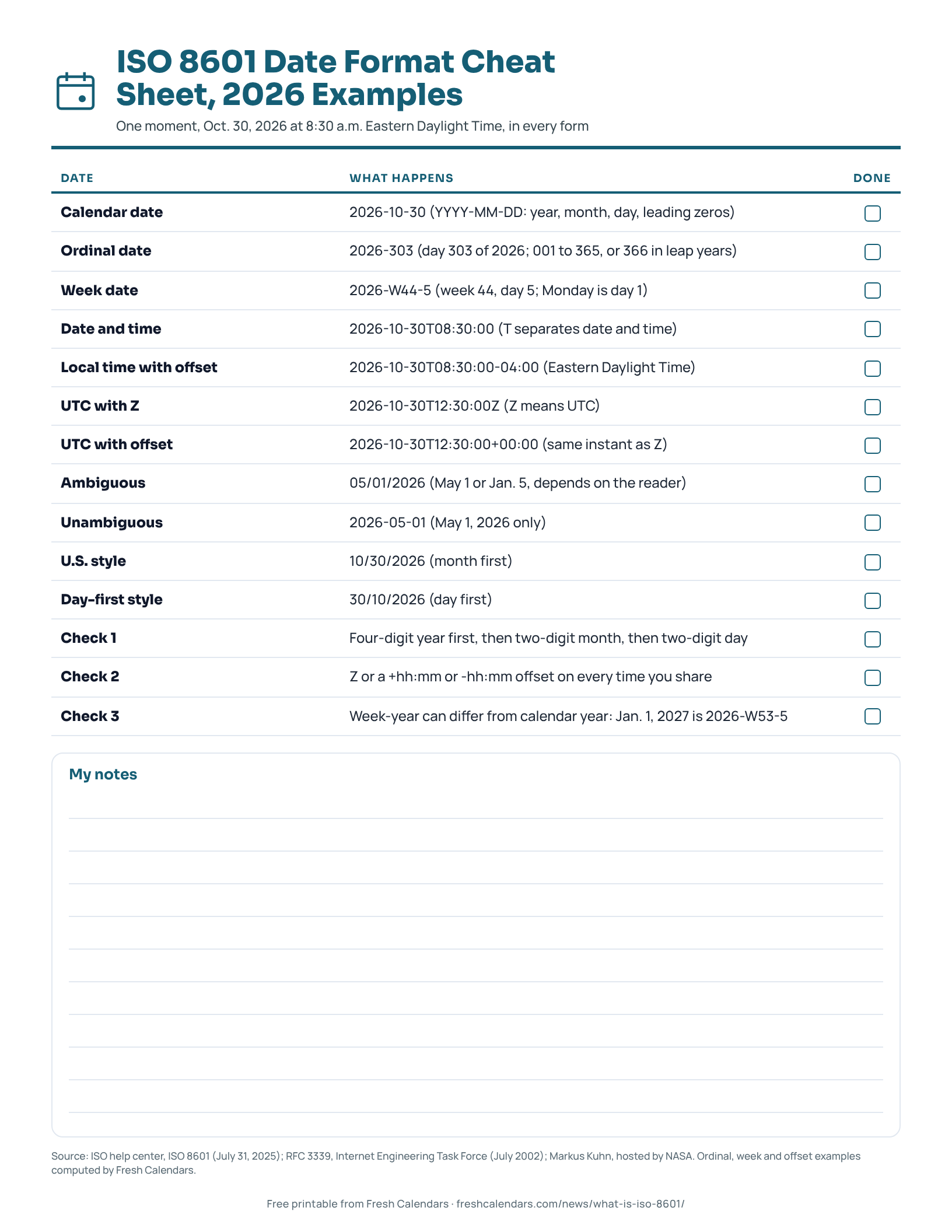
The free one-page sheet repeats the table above, the ambiguous-versus-unambiguous pair and three checks to run before you share a timestamp. For a printable year view with week rows, use the printable yearly calendar, or the November printable calendar for the next month.
Free printable downloads
Every template is free, needs no sign-up and prints on US Letter paper. Choose PDF for printing or PNG for screens and documents.
ISO 8601 Date Format Cheat Sheet printables
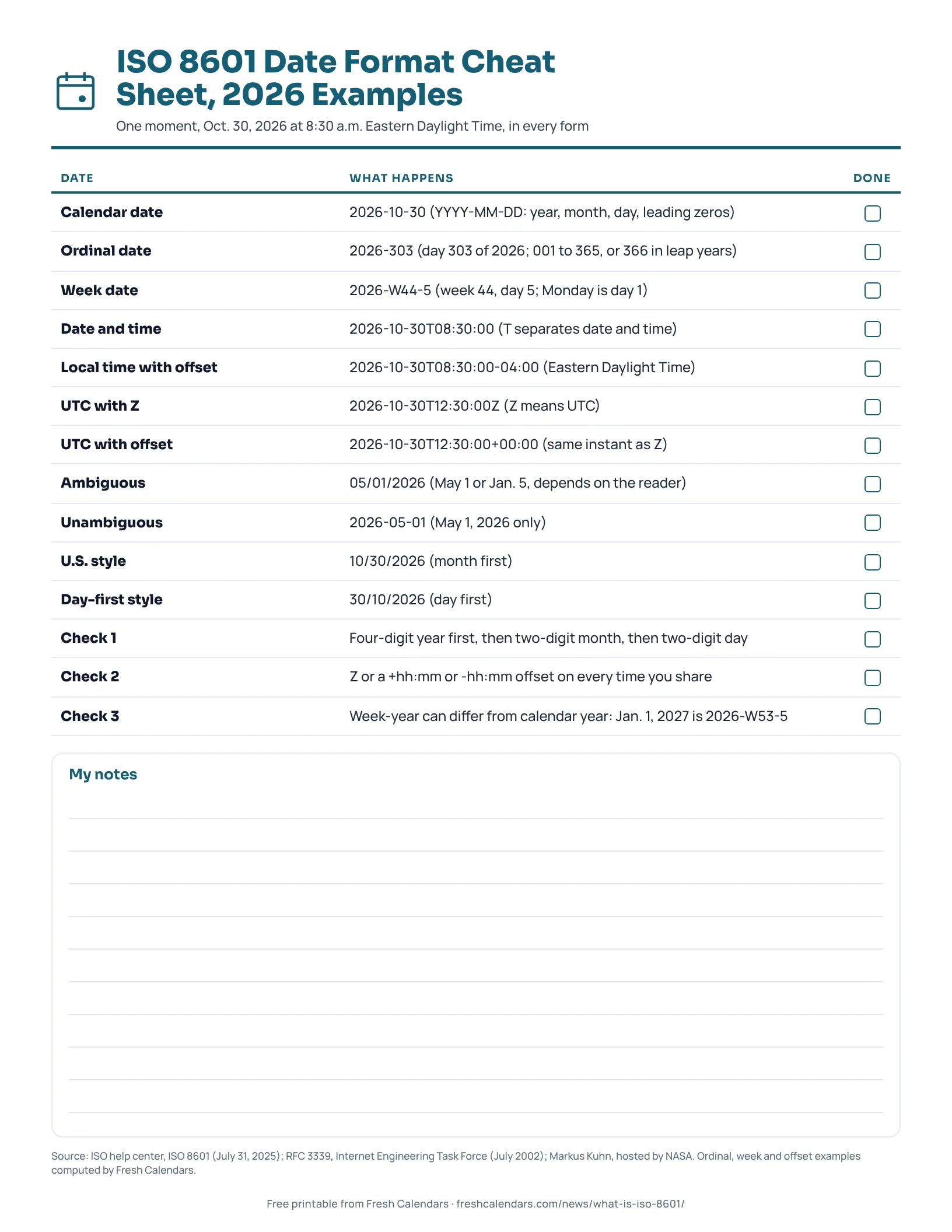
ISO 8601 Date Format Cheat Sheet, 2026 Examples
A one-page ISO 8601 cheat sheet that writes one moment, Oct. 30, 2026 at 8:30 a.m. Eastern Daylight Time, as a calendar, ordinal, week, local, UTC and U.S. date.
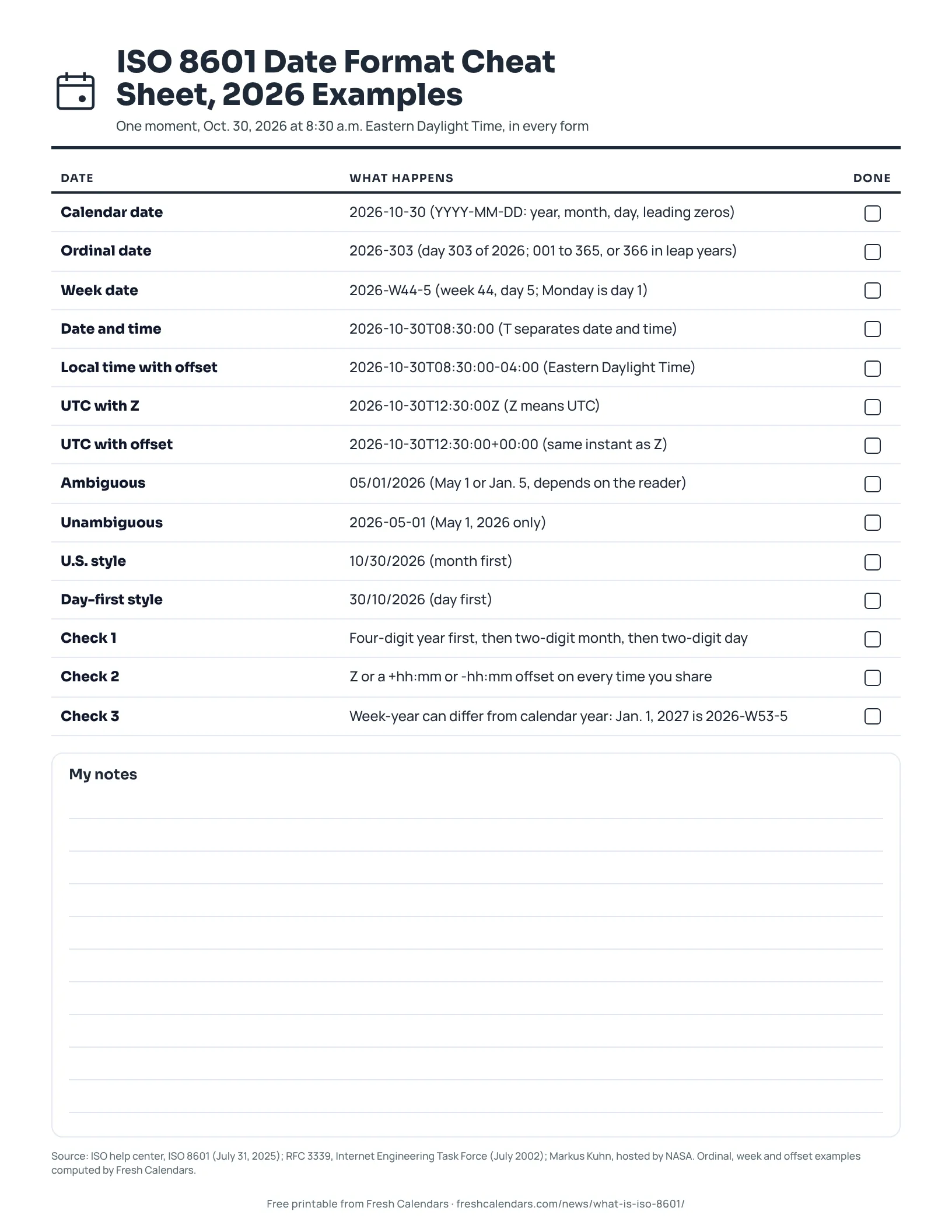
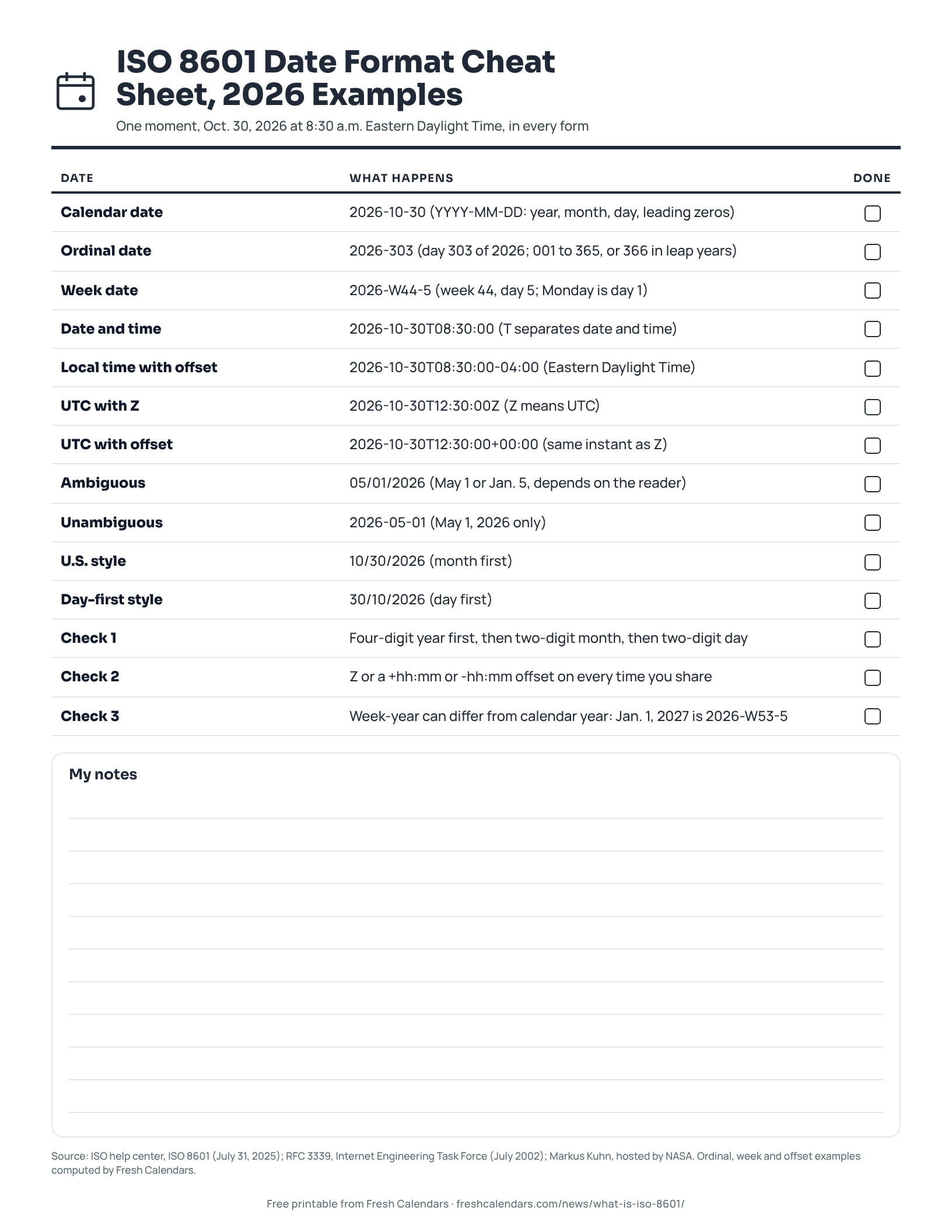
ISO 8601 Date Format Cheat Sheet, 2026 Examples (ink saver)
A one-page ISO 8601 cheat sheet that writes one moment, Oct. 30, 2026 at 8:30 a.m. Eastern Daylight Time, as a calendar, ordinal, week, local, UTC and U.S. date. Ink-saver version.
Frequently asked questions
Is YYYY-MM-DD the ISO format?
Yes. The International Organization for Standardization (ISO) help center lists the date as YYYY-MM-DD (year-month-day) in ISO 8601.
What does Z mean in an ISO timestamp?
Z is the Coordinated Universal Time (UTC) suffix. ISO's help center gives 2022-09-06T18:00:00Z as an example, and RFC 3339 defines Z as a UTC offset of 00:00.
Is 2026-10-30T15:00:00Z local time?
No. It is 15:00 UTC. In the Eastern Time zone on Oct. 30, 2026, when clocks are on Eastern Daylight Time (EDT, UTC-4), that is 11:00 a.m.
What is the difference between an ISO date and an ISO week date?
A calendar date names the month and day (2026-10-30). A week date names the week and the weekday (2026-W44-5), with Monday as day 1. Both point to the same Friday.
Is RFC 3339 the same as ISO 8601?
Not exactly. RFC 3339 says it is a profile of ISO 8601 for dates and times using the Gregorian calendar, which means it uses a subset of the forms ISO 8601 allows.
Sources
- ISO 8601: international standard for date and time format (International Organization for Standardization, 2025-07-31)
- ISO 8601 date and time format (International Organization for Standardization)
- RFC 3339: Date and Time on the Internet: Timestamps (Internet Engineering Task Force, 2002-07-01)
- Extended Date/Time Format (EDTF) specification (Library of Congress, 2019-02-04)
- International standard date and time notation (Markus Kuhn, hosted by NASA) (NASA FITS Support Office, 2004-01-01)
- ISO 8601-1:2019/Amd 1:2022 Amendment 1: Technical corrections (Estonian Centre for Standardisation and Accreditation)
- ISOWEEKNUM function (Google Docs Editors Help)
Related news
.jpg)
More in Calendar Guides
All Calendar Guides stories →- What Is the 100th Day of the Year? April 10, or April 9 in Leap Years
- How Many Days Are Left in the Year? The Formula, Plus the Count From Oct. 30, 2026
- How to Print a Calendar PDF at Actual Size: Print Settings for Edge, Mac and Home Printers
- What Is a Fiscal Year? Federal, State and UK Dates With Quarter Tables
- How to Find the Day of the Week for Any Date: Zeller, Doomsday and Spreadsheet Codes